Every business has a handful of jobs that someone has to remember every single time. Send the confirmation. Assign the lead. Chase the quote. In a busy week those are the first to slip, and they're exactly the jobs a system does better than a person.
HubSpot calls them workflows: you set a rule once and it runs every time. These are the five we'd set up first, roughly in this order.
1. Send every new inquiry to the right person
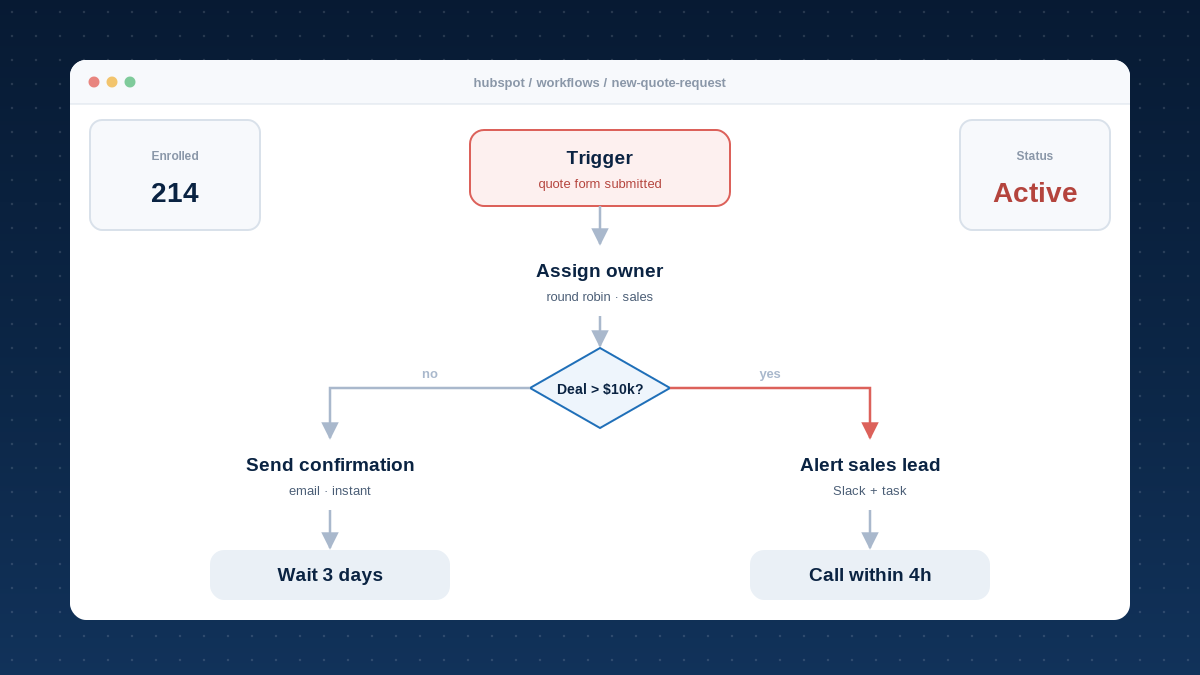
When someone fills in a form on your website, HubSpot can assign them to a salesperson straight away, by region, product, deal size or simply by turn. This is the one we'd build before anything else, because an inquiry sitting in a shared inbox while everyone assumes someone else has it is the most expensive kind of silence.
2. Nudge the owner when a customer is waiting
If a new lead hasn't been contacted within a few hours, its owner gets a reminder. Start with that. An alert to the manager when it's still untouched the next morning can come later, if you need it. People take badly to being reported on by software in its first week.
3. Follow up on quotes
Quotes go quiet all the time, and usually because nobody followed up, not because the customer said no. A workflow can create a call task a few days after a quote goes out, or send a short check-in email in the salesperson's name.
One detail matters here. Have the workflow look for a logged call or reply before it creates the task. Otherwise it nags people about quotes the customer already answered by phone, and they learn to ignore it.
4. Hand new customers to the next team
When a deal is marked as won, HubSpot can create the onboarding tasks, tell the service team, and send the customer a welcome email saying what happens next. Nothing important is left living in the salesperson's head.
5. Remind customers before something runs out
Renewals, re-orders, annual service visits. If it happens on a schedule, it can be automated: a reminder goes out a few weeks ahead, and your team gets a task to follow up in person with the bigger accounts.
Where this goes wrong
Automation copies whatever you give it. If your team can't describe the steps of a process, a workflow will only produce the confusion faster, so write the steps down first.
Be more careful with anything a customer sees. Reminders to your own team are almost always safe. Automatic emails to your largest accounts deserve a person reading them before they go.
And give every workflow an owner. Businesses change, and a rule that made sense last year will keep running until somebody switches it off.
Where to start
Ask your team what they forget most often when they're busy. That's your first workflow.