A CRM your team
actually uses
We shape HubSpot to the way your team sells and looks after customers, move your data in clean, and stay until people work from it instead of around it.
Most CRMs are set up, not designed.
Someone turned it on, imported a spreadsheet and added a few fields. A year later the data is messy, reports don't match, and the sales team keeps its own list on the side.
Fixing that starts with architecture, not with more features. So we begin with how your business wins and keeps a customer, and only then decide what HubSpot should hold.
Already on HubSpot? We start with an audit.
We open your portal and look at what's really in it: the properties nobody fills in, the pipelines that don't match how deals move, the reports people stopped trusting. Then we fix what's in the way, without starting over.
Book a CRM reviewWhat's included, from first design to daily use
- 01
Process mapping
How a lead becomes a customer, and a customer becomes a repeat order, drawn before anything is configured.
- 02
Data architecture
Objects, properties, associations and naming that stay clean as you grow.
- 03
Pipelines & automation
Deal stages, tasks and follow-ups that run themselves and match how your team really sells.
- 04
Migration & clean-up
From spreadsheets, Salesforce, Zoho or an old HubSpot portal, without carrying the duplicates with you.
- 05
Reporting
Dashboards built on data you trust: pipeline, revenue, service and team activity.
- 06
Training & adoption
Hands-on sessions and short guides, so the system is used on Monday morning.
After go-live
Going live is where most projects end. Ours has two ways to carry on.
Beyond the CRM
HubSpot rarely works alone. The rest of what we do sits around it.
HubSpot, in plain language
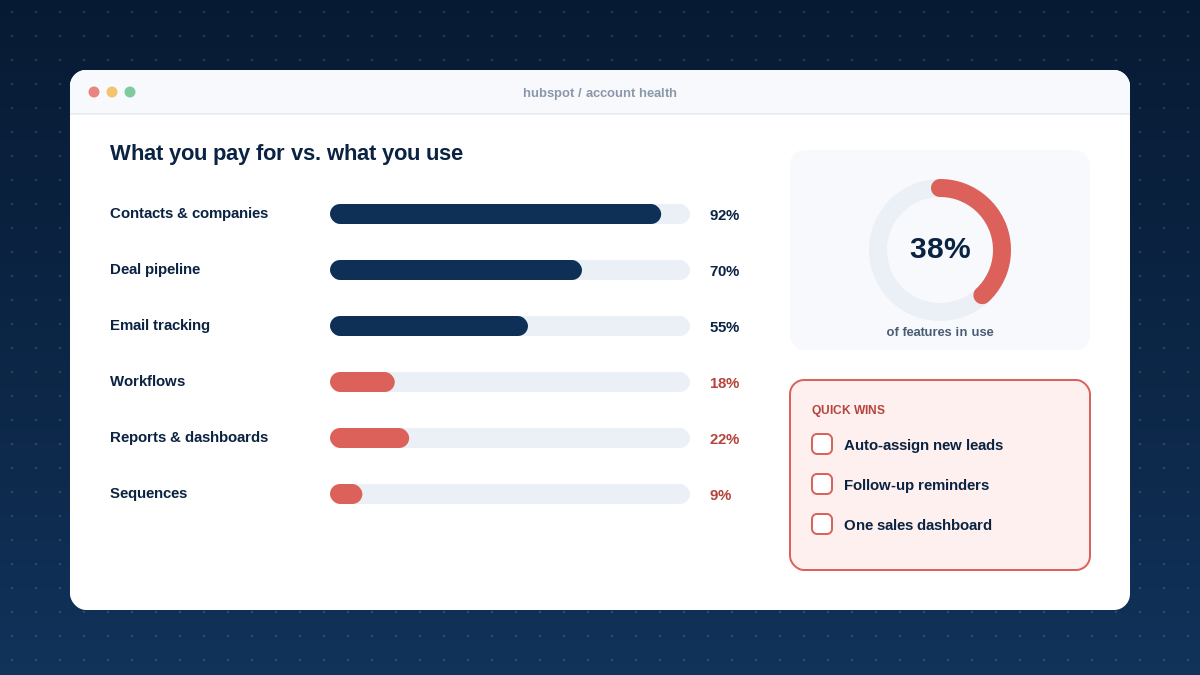
Paying for HubSpot but Not Getting Much From It? Start Here
Why HubSpot ends up underused, a ten-deal test to see how bad it is, and the order we'd fix things in.
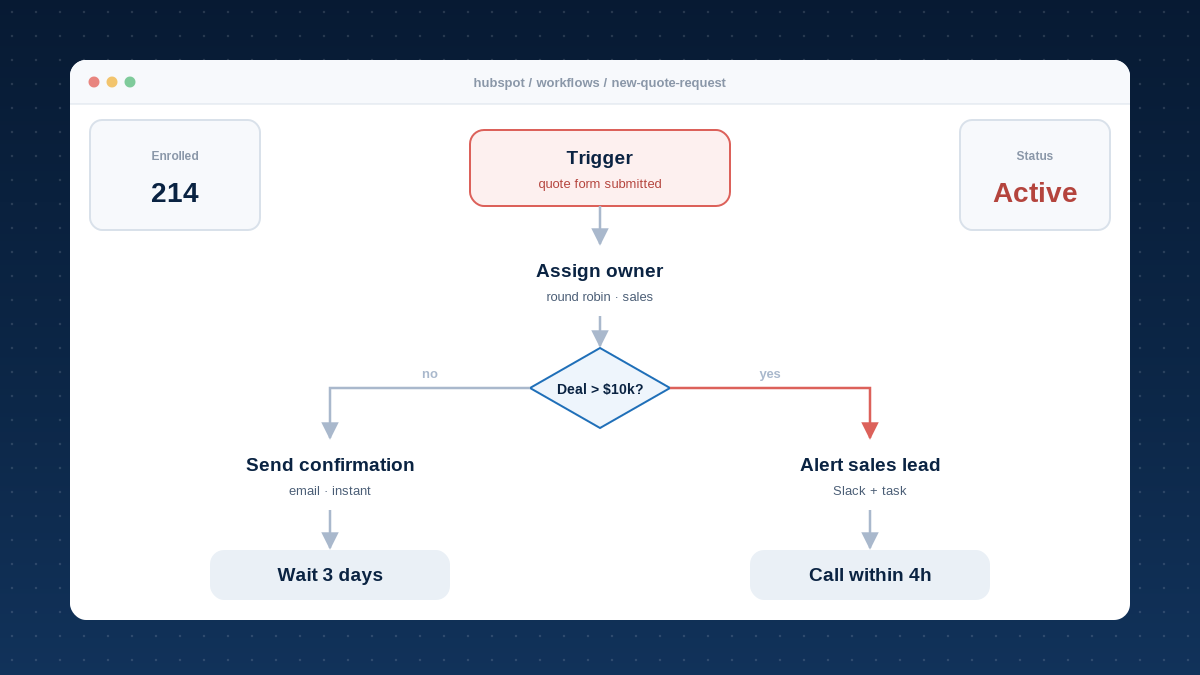
5 HubSpot Automations That Give Your Team Hours Back Every Week
The five HubSpot workflows we'd set up first: lead routing, reminders, quote follow-ups, handoffs and renewals.
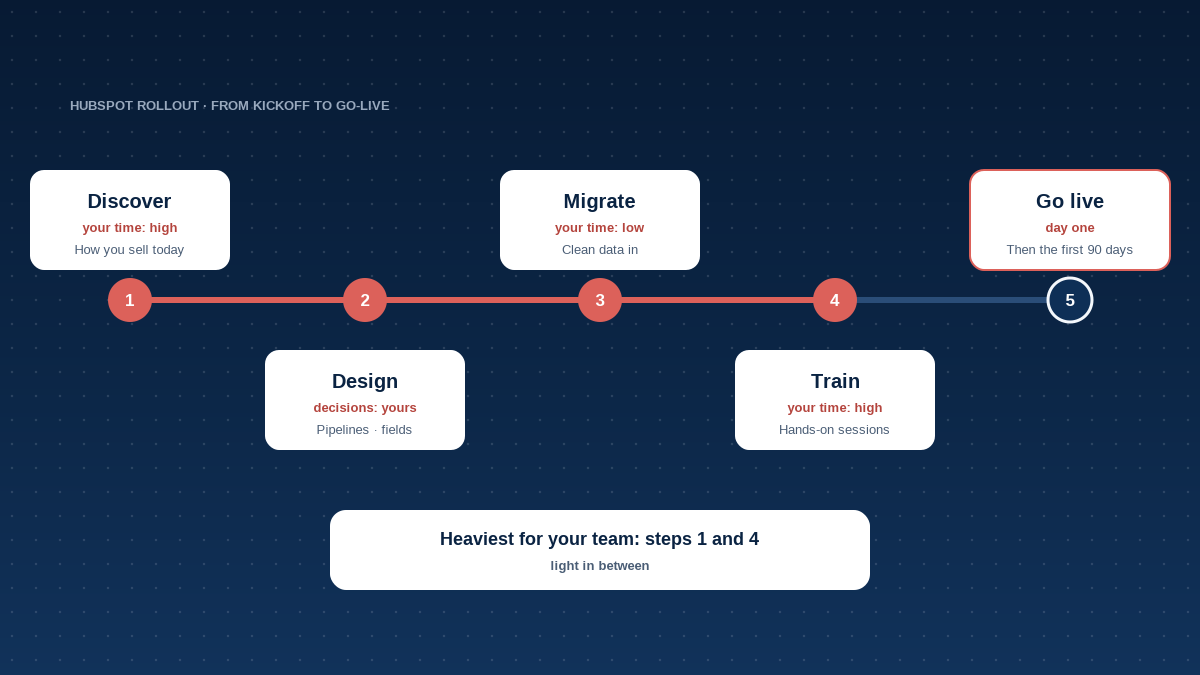
What a HubSpot Rollout Looks Like, From Kickoff to Go-Live
The four phases of a HubSpot rollout before go-live, what each asks of your team, and how long it really takes.
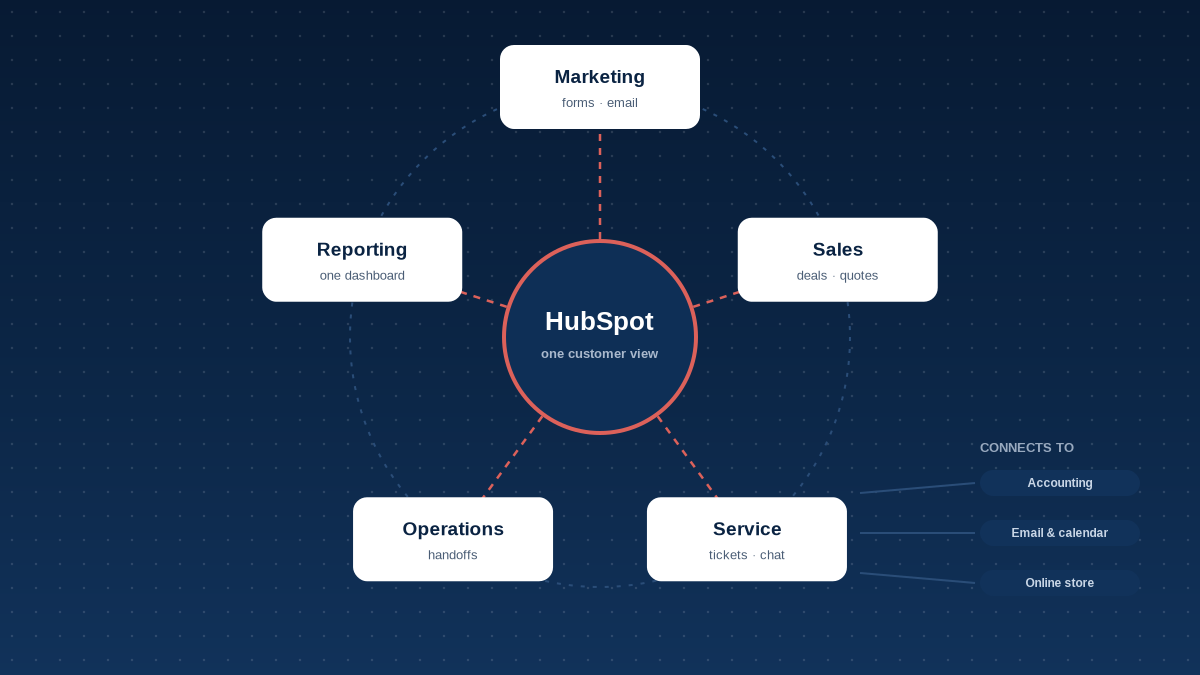
Why Growing Businesses Choose HubSpot (and When It's Not the Right Fit)
What HubSpot is, the five reasons growing businesses pick it, and an honest look at when it's not the answer.
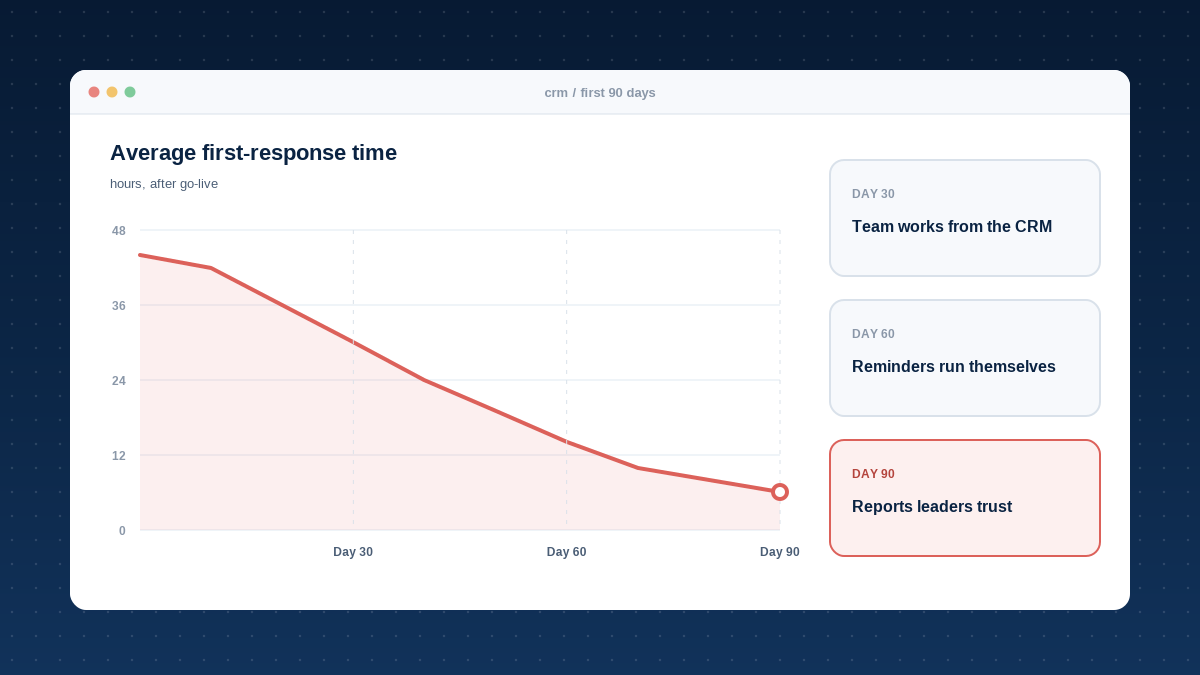
Your First 90 Days With a CRM: What to Expect
A month-by-month guide to the first 90 days with a CRM: habits, automation, then reports you can trust.
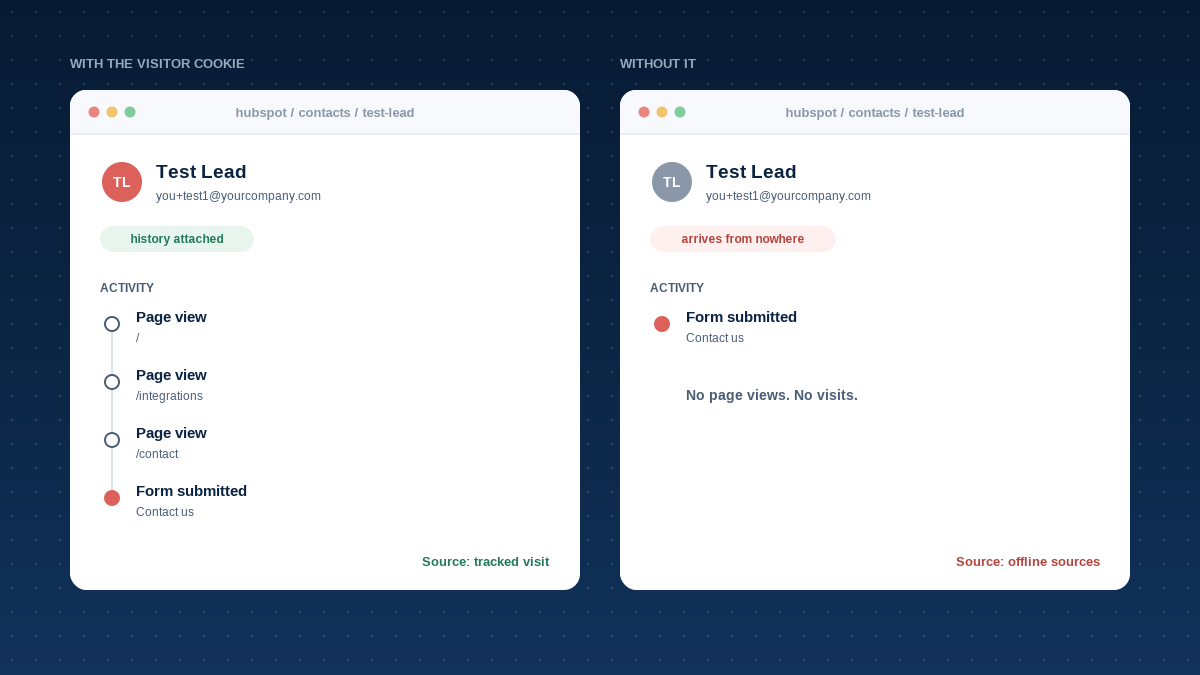
How to Test That Your Website Form Leads Reach HubSpot With Their History
A step-by-step test for HubSpot admins: check that website form leads arrive with page views, a sensible source, an owner and a notification.
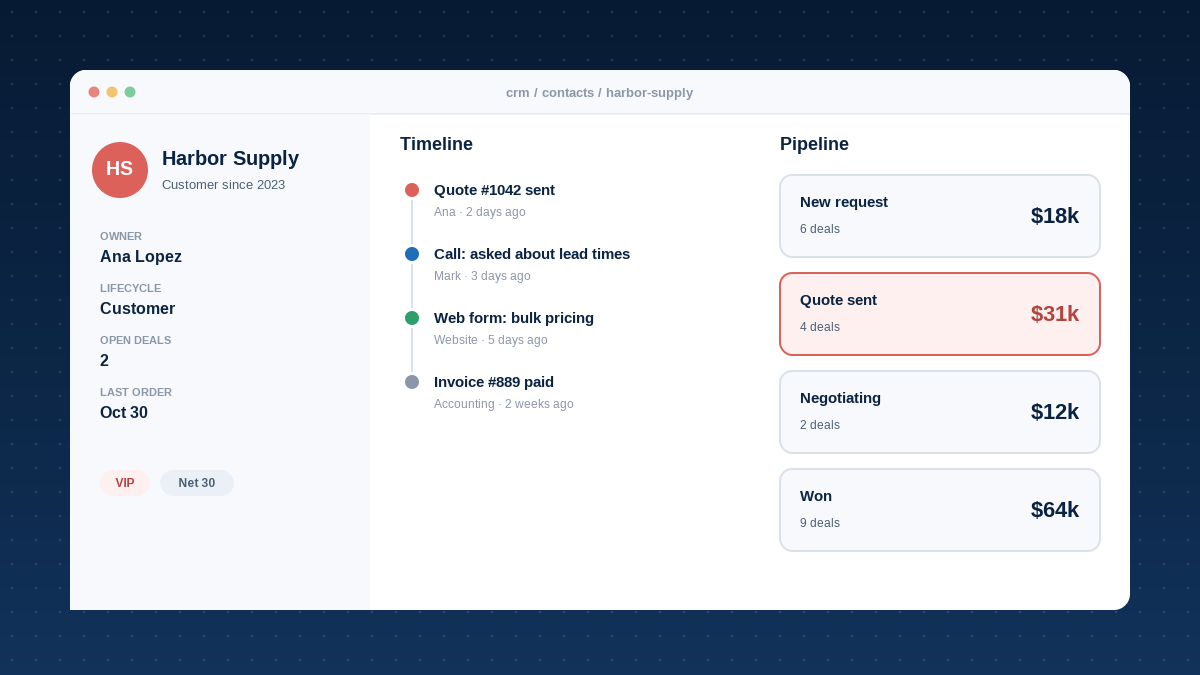
What Is a CRM and Why Does Your Business Need One?
A plain-English guide for business owners: what a CRM does, how it fits with your ERP and accounting, and the signs it's time for one.
Common questions
Can HubSpot connect to our store and accounting?
Usually yes, through native connectors or a small integration we build. See Integrations.
Which HubSpot plan do we need?
We size it to what you actually need, and we tell you when a cheaper plan will do.
What does a rollout involve?
It runs in stages, and each one needs something different from your team. We wrote it up step by step in our article on rollouts.
Tell us what isn't working
A short message is enough. We reply within one business day with a few questions and a time to talk. No sales script.
- 30-minute call, no cost
- A senior architect, not a sales rep
- A clear next step, even if it isn't us