Out of silos.
Onto one cloud.
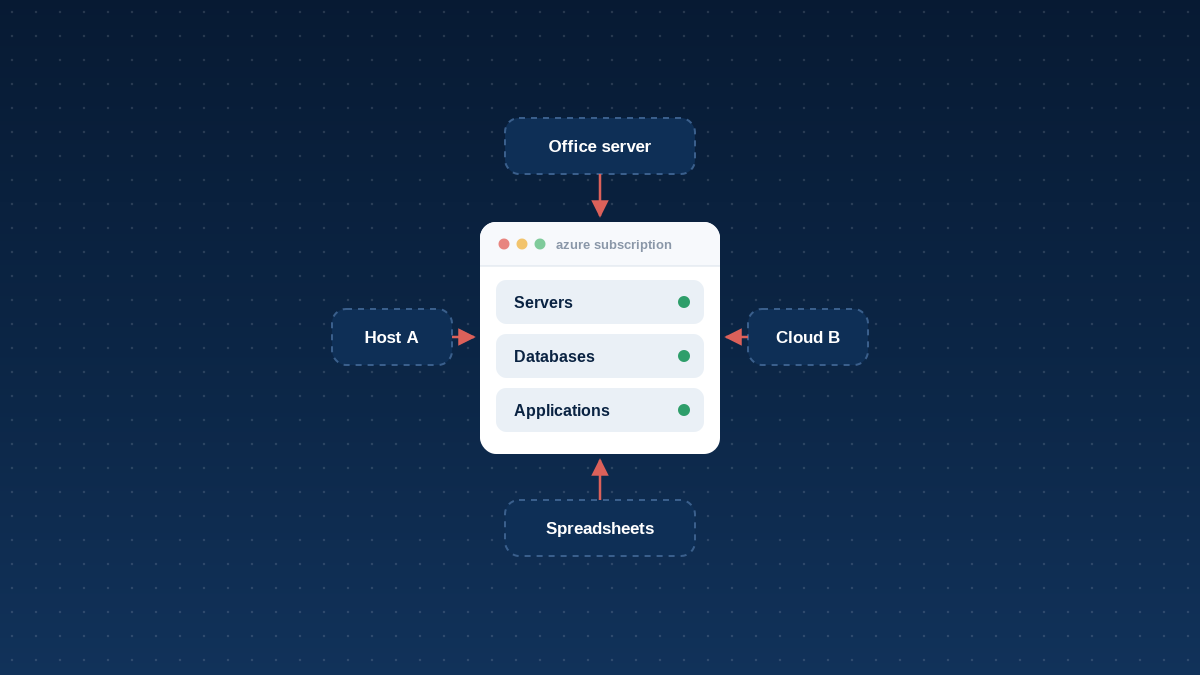
We move your scattered servers, databases and apps into one Azure subscription you own, join up the data that lives in separate systems, and build the applications and AI that put it to work.
A business that runs on islands
The website is with one host. The database sits on a server in the back office. Files are spread over three clouds, each bought by a different person. Sales, finance and the warehouse each keep their own version of the customer.
Nothing is exactly broken. It just never adds up to one business, and every new tool makes one more island. We bring it together in order: one cloud, one set of data, then applications and AI on top.
Start with the inventory
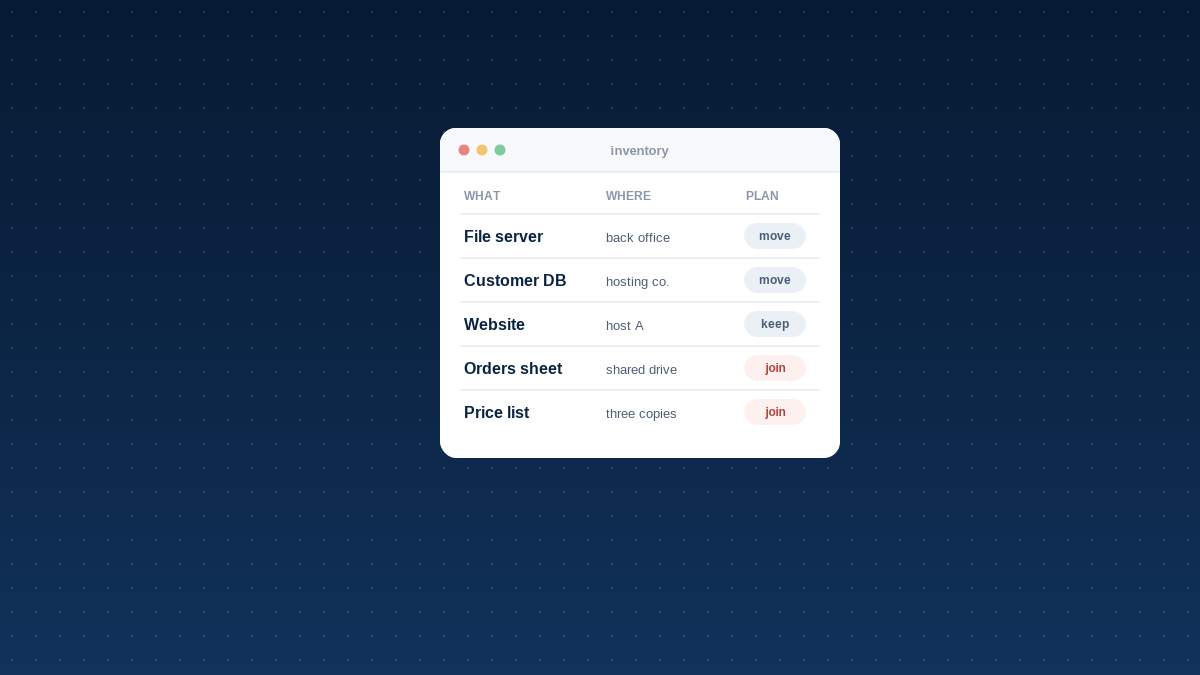
We don't begin by moving anything. We begin by writing down what you have: every server, hosting account, database and spreadsheet the business depends on, what each one costs, and which of them hold the same data twice.
From that list you get an order of work: what to move first, what to join up, and what to leave exactly where it is.
Start with a reviewCloud: everything in one subscription you own
Most companies never chose their setup. It accumulated: a server here, a hosting account there, a database a contractor set up years ago. We move it into a single Azure subscription in your name, so there is one place to secure, one bill to read and one door to lock. It works the same whether you run your own servers, sit on another cloud, or have nothing of your own yet.
- 01
See what you run
What is running, where it lives, who holds the passwords and what it costs each month. It is often the first time that list exists in one place.
- 02
Lay the foundation
Before anything moves, we set up identity, networking, monitoring and spending alerts, so nothing lands in a mess.
- 03
Move in stages
Servers, databases and file shares go over one group at a time. Applications are sized first, by scope and type: some move as they are, some need rework, and a few are better left running where they are.
- 04
Consolidate
Scattered hosting accounts, stray subscriptions and the database under someone's desk end up in one subscription that belongs to you, not to a vendor or a former employee.
- 05
Back it up
Backups are configured in Azure itself, so they run on a schedule without anyone remembering, and you decide how long each copy is kept.
- 06
Keep the bill readable
Every resource is labelled with what it is for, and an alert fires before a surprise. Then we switch off what nobody uses.
Data: end the silos
A data silo is any place where part of the truth lives alone. The CRM knows the customer. Accounting knows what they paid. A spreadsheet knows what was promised. Each one is right, and together they disagree. The cost is quiet: people retype, ask each other, and decide on whichever number they happened to open.
Map the sources
Every system that holds customers, orders, money or stock, and what each one is trusted for.
One owner per fact
For each piece of data, one system is the source. The others receive it. They stop keeping their own copy of the truth.
Connected, not exported
Data moves between systems on a schedule or as it changes, usually with Azure Data Factory, and nobody downloads a file.
One store, with history
A central Azure SQL database inside your subscription holds the joined-up picture, including how it looked last month. When there is more data, or more kinds of it, than a database suits, a data lake in Azure sits beside it.
Checks that speak up
When a feed stops or a figure looks wrong, a person hears about it that day, before it reaches a decision.
Access by role
People and applications see what they need and no more, with a record of who looked at what.
What you end up with is one customer record, no retyping, and every application reading the same thing.
Applications: put the data where the work happens
A report waits for someone to open it. An application sits where the work is done, shows the right record and has a button to act on it. That is where joined-up data starts to pay for itself. We write them in code on Azure Functions, not in a drag-and-drop builder, so they can follow your process instead of the tool's.
- 01
Internal tools
The screen that replaces the spreadsheet everyone edits: orders waiting for approval, jobs in progress, stock that needs reordering.
- 02
Customer and partner portals
A place where your customers see their own orders, documents and status without emailing you to ask.
- 03
Dashboards people act on
The handful of figures an owner checks each morning, in Power BI or as a screen of their own, each one linked to the records behind it.
All of it runs in the same subscription, reads the same data and sits behind one sign-in.
AI: where it pays back, and where it doesn't
AI comes last on purpose. On top of numbers nobody trusts, it only gives you wrong answers faster. Once the data is joined up, we build on Azure OpenAI and start with one job, measured against how long it took by hand.
Worth doing now
A repetitive task with a clear before and after. Sorting a shared inbox. Reading the same fields off every incoming document. Answering routine questions from your own data, with a person checking the answers that matter.
Not yet
Anything that leans on numbers you don't trust. A task that comes up twice a month. A decision nobody wants a machine to make. We'll tell you it isn't worth it instead of selling it to you.
More on how we approach it: our article on starting with a single job.
After go-live
Once everything is in one place, someone has to mind it. Two ways we can.
Around the platform
The cloud and the data are there to serve the systems your people use every day.
Data and AI, from our blog
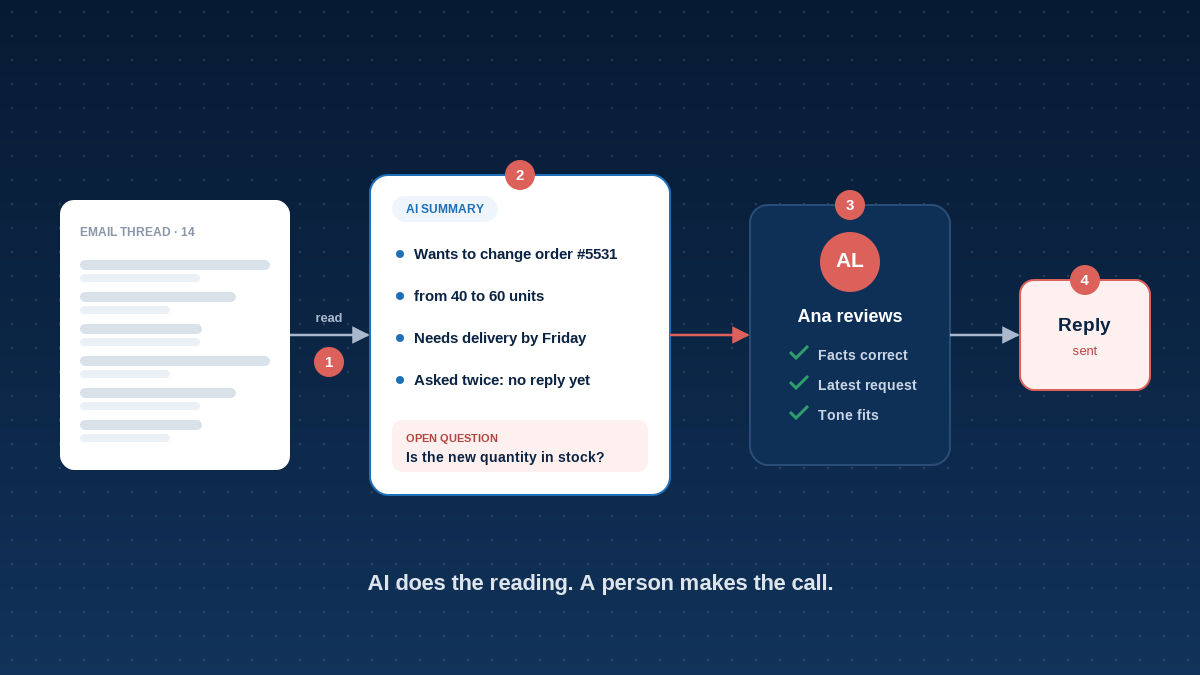
How to Put AI to Work in Your Business, One Task at a Time
A practical way for business owners to test AI on one measurable task, with a person still in charge of the result.
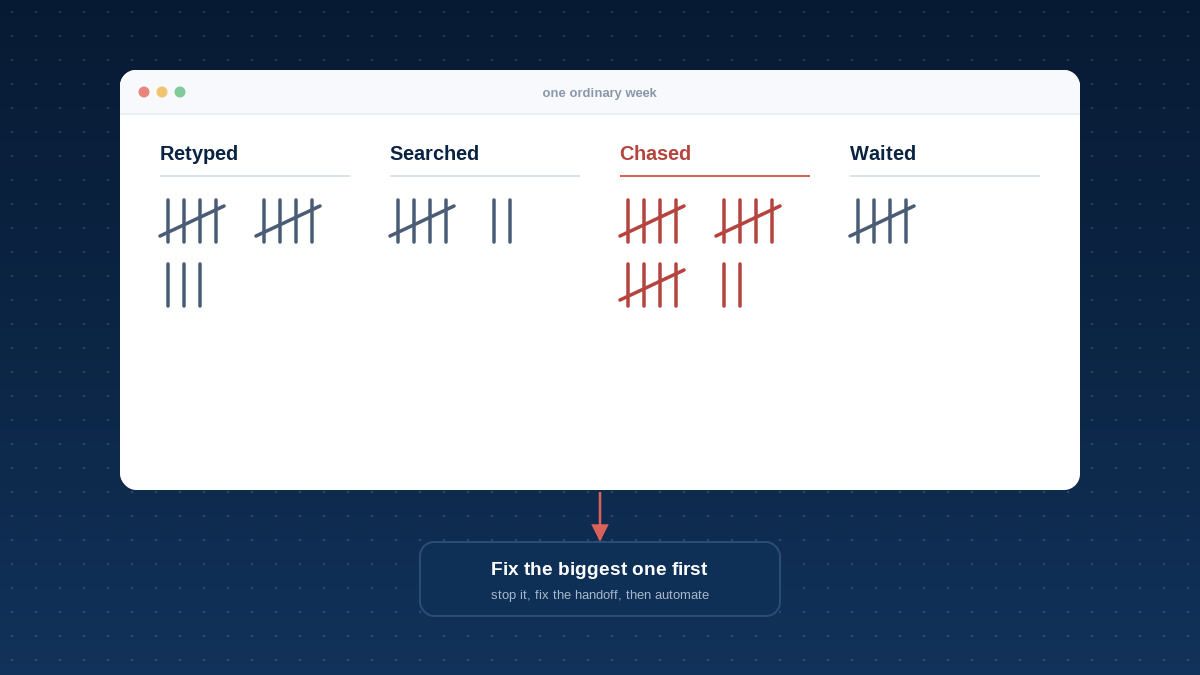
Before You Hire, Find the Hours Your Team Is Already Losing
When a team is stretched, hiring isn't the only fix. A one-week tally that shows where the hours go on retyping, searching, chasing and waiting, and what to do about the biggest one.
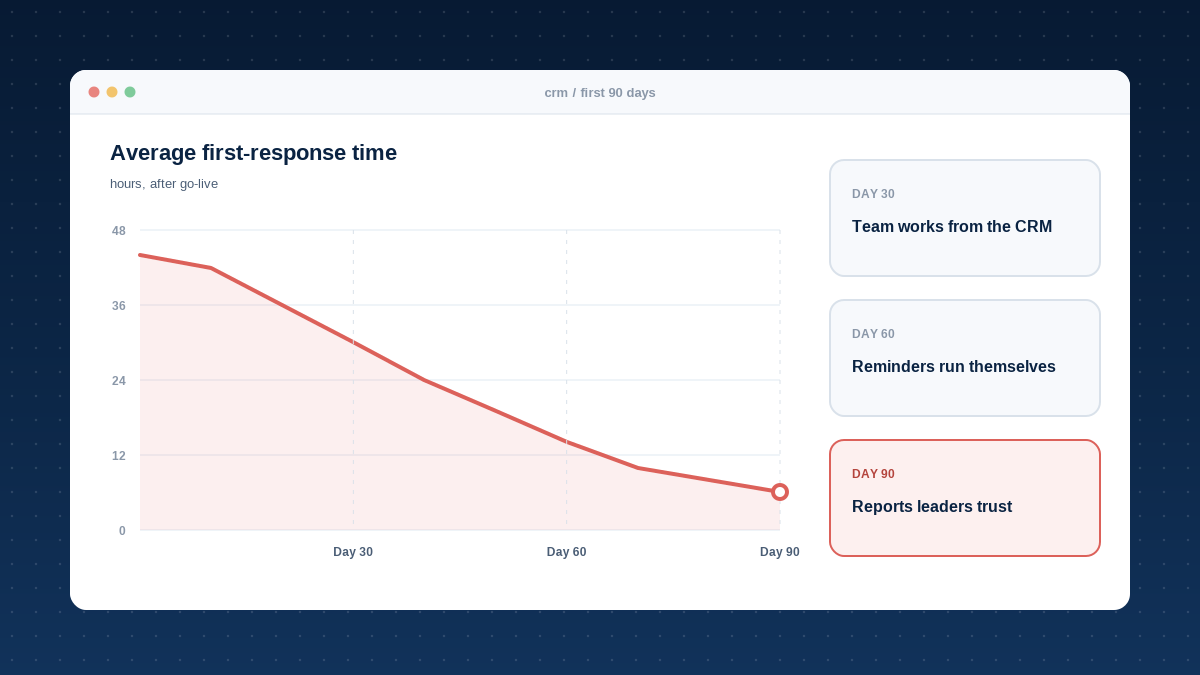
Your First 90 Days With a CRM: What to Expect
A month-by-month guide to the first 90 days with a CRM: habits, automation, then reports you can trust.
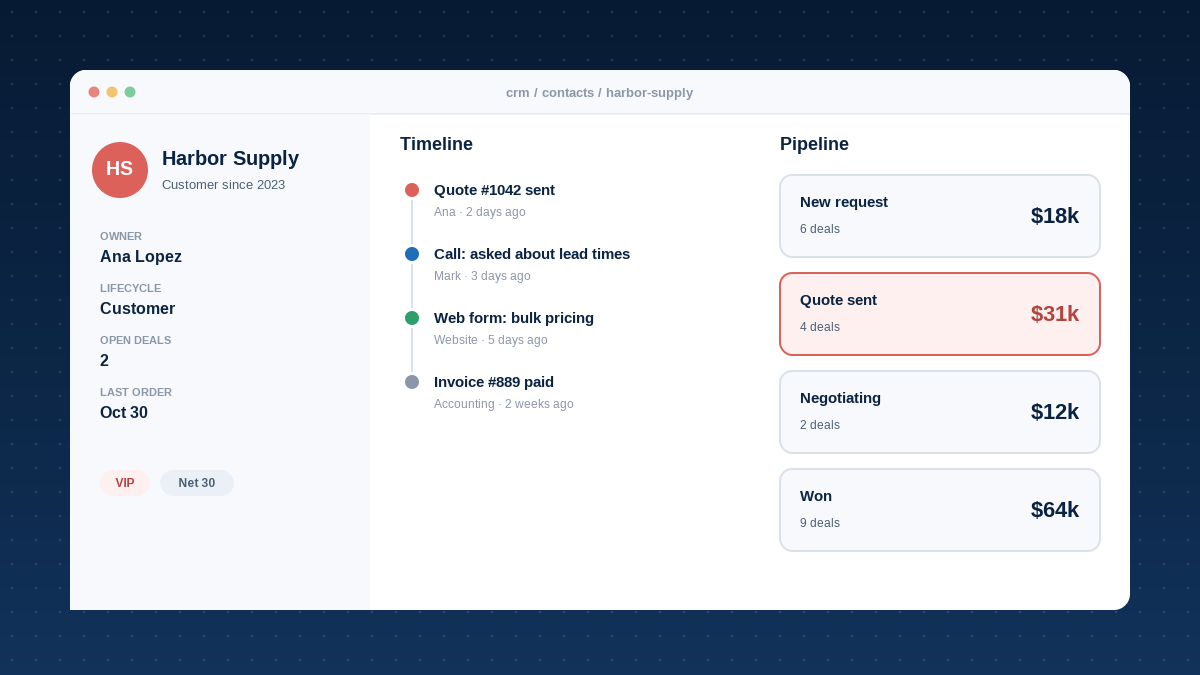
What Is a CRM and Why Does Your Business Need One?
A plain-English guide for business owners: what a CRM does, how it fits with your ERP and accounting, and the signs it's time for one.
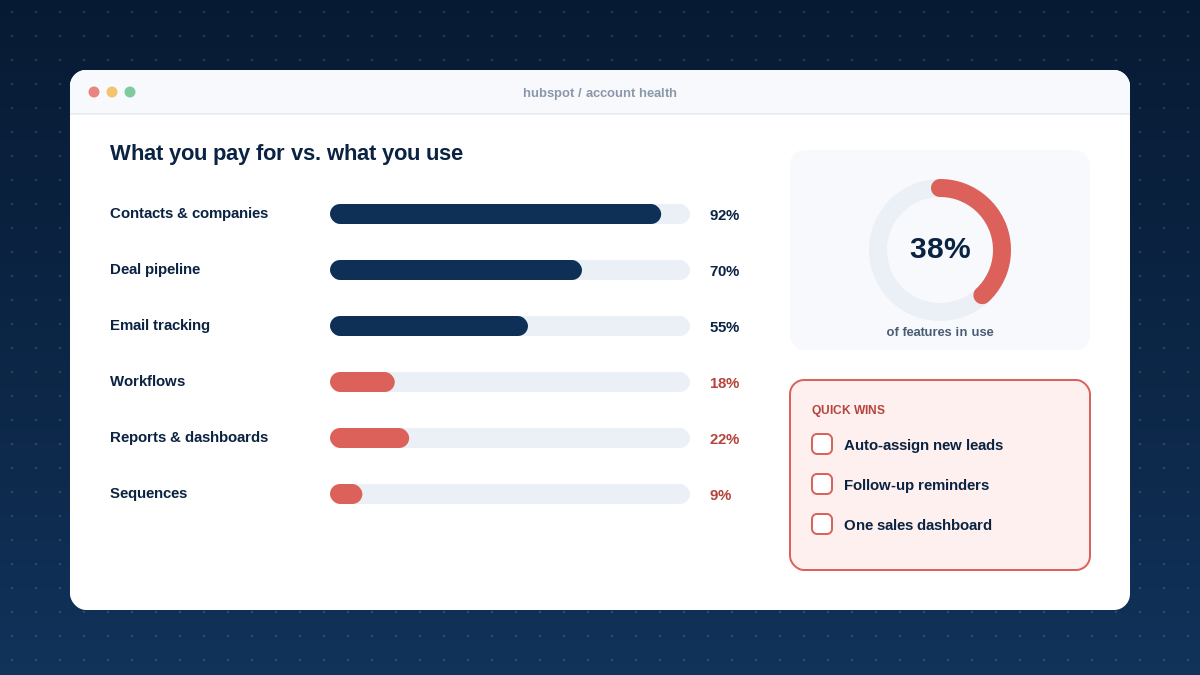
Paying for HubSpot but Not Getting Much From It? Start Here
Why HubSpot ends up underused, a ten-deal test to see how bad it is, and the order we'd fix things in.
Common questions
Do we have to move everything at once?
No. We move in groups, starting with whatever is riskiest to leave where it is. Some things are better left alone, and we will say which ones.
Is our data safer in Azure than on our own server?
Usually, when it is set up properly: access by role, backups scheduled in Azure, and updates applied without anyone having to remember. A cloud account with weak passwords is no safer than the old machine it replaced, which is why the foundation comes first.
We have no servers and no cloud yet. Is this for us?
Yes, and it is the easy case. There is nothing to migrate, so we set up the subscription and its foundation properly the first time and build from there.
Do we need a data warehouse?
Probably not yet. For a company your size, one well-designed database and a few scheduled loads usually do the job. We'll say when you've outgrown that, and not before.
Is AI worth it for a company our size?
Sometimes very much, sometimes not yet. The section above shows how we tell the two apart. Either way, we begin with one small thing we can measure.
Why Azure?
It's where we have the deepest experience, and it fits companies already on Microsoft 365. If you're committed to another cloud, we can work there too.
Who owns all this when the project ends?
You do. The subscription, the database, the applications and the dashboards are all in your name, and we hand over a short guide to how they're built.
Tell us what isn't working
A short message is enough. We reply within one business day with a few questions and a time to talk. No sales script.
- 30-minute call, no cost
- A senior architect, not a sales rep
- A clear next step, even if it isn't us