There are dozens of CRMs, and nearly all of them can store contacts and track deals. We work in HubSpot every day, so we're not neutral, and you should read this with that in mind. Here is why we recommend it as often as we do, and the cases where we wouldn't.
If you're still deciding whether you need a CRM at all, start with this one and come back.
What you're buying
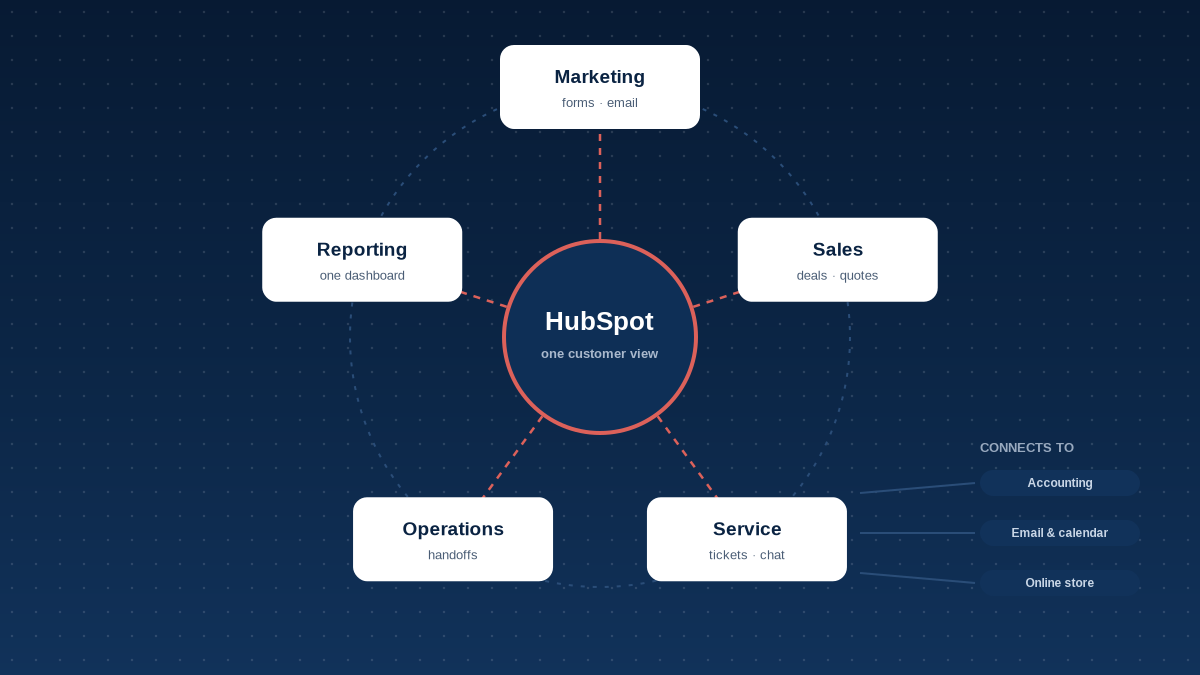
HubSpot is a CRM with marketing, sales, service and operations tools built around one set of customer records. That shared record is the point of it: marketing can see what sales promised, and service can see what the customer bought.
Why we recommend it
- People use it. It's easier to learn than most of its rivals. A CRM that nobody opens is worth nothing, so we'd rank this above any feature on the list.
- You can start small. There's a free CRM to begin with, and paid plans to add as you grow. Nobody has to buy the whole thing on day one.
- It's one system. Email, forms, deals, tickets and reports live together, where otherwise you'd have five tools held together by spreadsheets.
- It connects. Email and calendar, accounting packages, online stores and a long list of other apps plug in through ready-made connections, and custom ones can be built when those run out.
- Reports come with it. Once the team works in HubSpot, dashboards for pipeline and response times need very little extra effort.
When we'd point you elsewhere
Your process is heavily custom. Unusual approval chains or strict industry-specific requirements can be better served by a platform built to be bent further.
The price at your future size doesn't work. Costs rise as you add advanced features and users. Do the sum for the company you expect to be in two or three years, and do it before you sign.
Nobody will own it. Every CRM drifts without an owner. If no one on your team can look after it, plan for outside help from the start, or wait until someone can.
You already have a CRM your team uses. If the current system is opened every day and the complaint is a missing report, switching is rarely worth the disruption. Fix the report.
How to decide
Write down the three things you most need a CRM to do. Stopping lost inquiries and seeing the pipeline at a glance are typical ones. Then test each option against those three, with the people who'll use it sitting at the keyboard.
If HubSpot does them well and your team finds it easy, it's probably your answer. If it's a close call, pick the one your team liked using. And if you go ahead, this is what the project looks like.