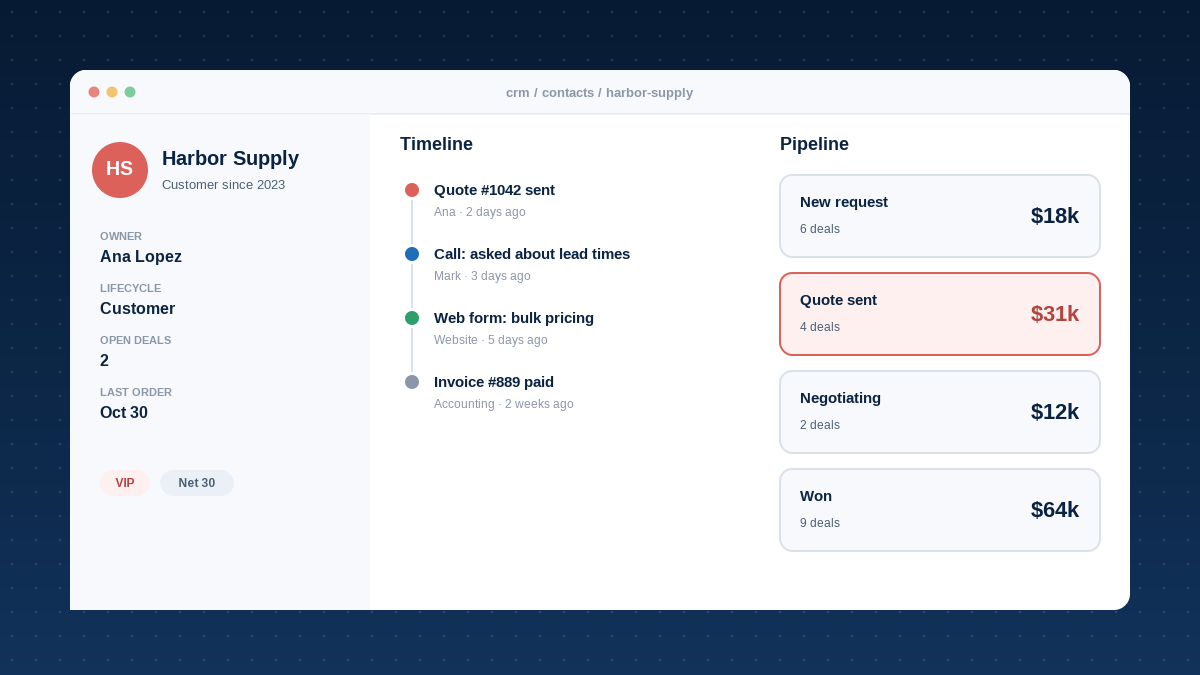
A long-time customer rings on a Monday to ask about the bulk price you discussed back in the spring. The person who quoted it has moved to another role, and the details are somewhere in their old email. So your team says the thing nobody likes saying: "Let me find out and get back to you."
That gap is what a CRM is for. The letters stand for customer relationship management, which sounds grander than it is. It's one shared place where every customer, conversation and promise is written down, and where anyone on the team can look it up.
What it replaces
In a business without one, customer history tends to live in personal inboxes, in a spreadsheet somebody maintains, and in the heads of one or two people who have been there longest. That arrangement works better than it should, right up to the week one of those people is away or gone.
A CRM takes what each person knows and makes it available to everyone else. That's the whole idea. Everything else it does is built on top of that.
Follow one order through it
- A request lands. A buyer fills in the quote form on your website. Their details and what they need are recorded without anyone retyping them.
- Someone owns it. The request goes to a named salesperson, with a date by which the first reply is due.
- The buyer rings back. Whoever answers opens the account, sees the quote and the earlier call, and gives a real answer on the spot.
- The deal closes. The people who deliver the work can see what was sold and on what terms, so the customer never has to explain it twice.
It sits beside your other software
A common worry is that a CRM means replacing the accounting package or the ERP. It doesn't. They look after different halves of the business.
The CRM looks after
- Leads and inquiries
- Quotes and follow-ups
- The relationship over time
Your ERP looks after
- Stock and purchasing
- Fulfilment and shipping
- Invoices and payments
The interesting part is the join between them. Connect the two and a salesperson can see stock levels or an unpaid invoice while the customer is still on the phone, without walking over to ask accounts. (That connection is its own piece of work, and it's where we'd spend the most care.)
What it won't do
A CRM can only be as useful as what goes into it. If half the team keeps working from their inbox, you've bought an expensive address book. It also won't repair a sales process nobody can describe. We'd settle who picks up a new inquiry, and how fast, before buying anything.
You're probably ready for one if
- Customers get in touch just to ask "any news on my order?"
- Key accounts depend on one employee remembering the details.
- Seeing your open deals means merging several spreadsheets.
- A sick day leaves customers waiting.
- Nobody can say which marketing brings in your best customers.
If two of those sound like your week, it deserves a serious look.
Where to go from here
Don't start with software. Start with the one problem that costs you most, slow quote follow-ups for example, and write down how that work travels today. After that the questions get practical: whether HubSpot is the right fit, which jobs to hand to the system first, and where AI is actually useful.